AGYNAMIX® Invoicer 1.7.2 will introduce experimental custom-template packages for sales documents and timesheets. As a small preview of the upcoming release, this guide shows the shortest practical route from a starter package to your first customized invoice layout.
The feature is intended for people who are comfortable working with source files. A custom template is not assembled in a visual drag-and-drop editor. It is a validated ZIP package containing a manifest, a Pebble/XHTML template, CSS, and optionally its own images and fonts. Invoicer reviews the package and renders PDF previews before installation.
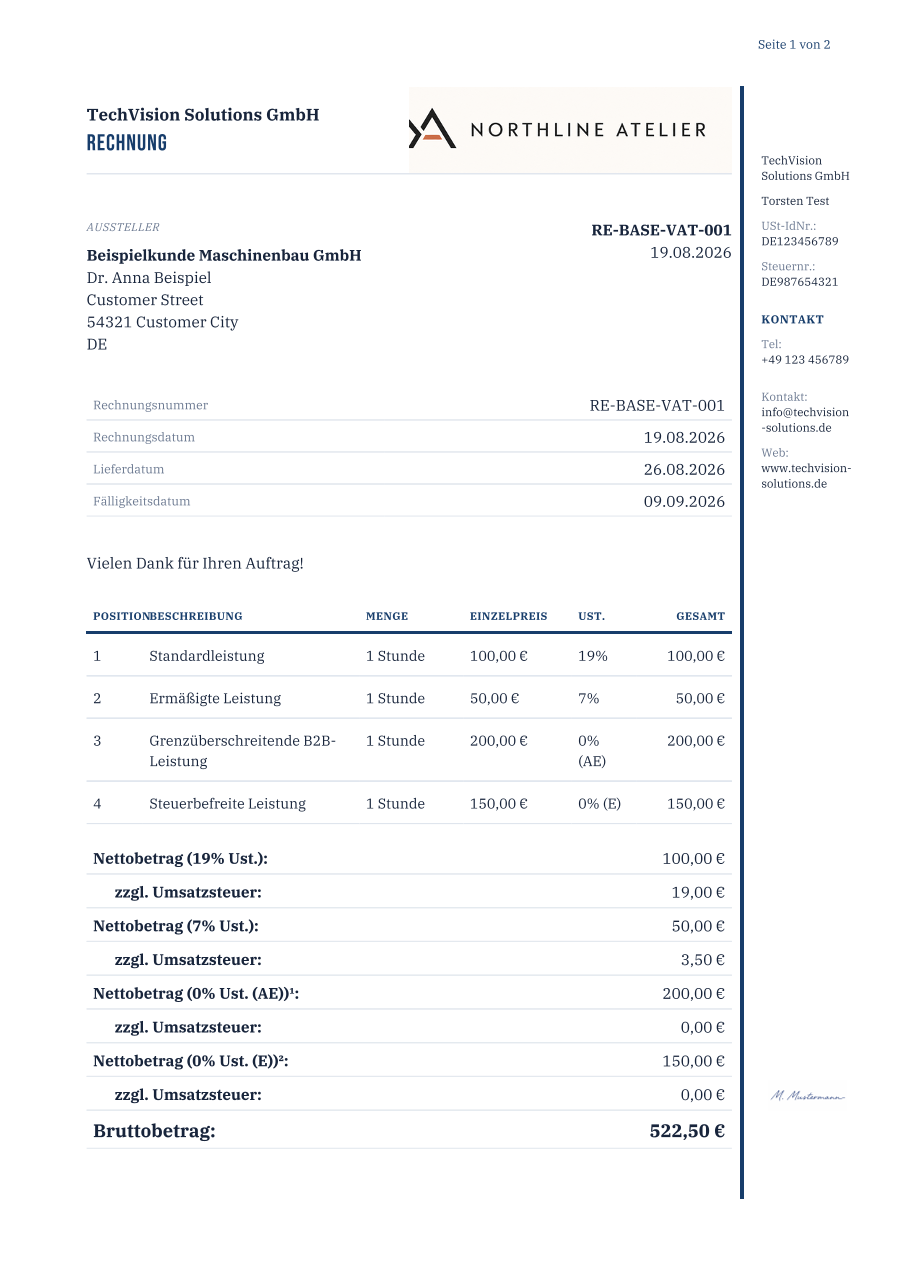
Here is the professional sales-document starter applied to a compact invoice scenario. The data, totals, labels, and tax presentation come from Invoicer; the package controls the visual composition.
Start with the right package
For a first real design, it is easier to begin with one of the maintained starter packages than with an empty directory:
The packages remain separate because one package represents exactly one template kind and one entry point. This article follows the sales-document path. It can cover quotations, delivery notes, invoices, invoice corrections, and payment reminders.
Unpack the sales-document starter into a working directory. Its essential structure looks like this:
manifest.json
document.peb
styles.css
images/
fonts/
The images/ and fonts/ directories are optional. The smallest teaching example needs only manifest.json, document.peb, and styles.css.
Understand the manifest first
manifest.json describes the package before Invoicer reads any template markup. Among other things, it declares:
- a stable reverse-DNS
packageIdfor the design lineage - a human-readable
displayName sales_documentas the template kinddocument.pebas the entry point- Template API version 1
- the supported sales-document families
- every CSS, image, and font resource contained in the package
Give your design its own package ID and name. Keep the declared resource paths synchronized with the files in the ZIP: an undeclared or missing file is a compatibility error, not something the renderer silently overlooks.
Let Invoicer own the business data
The Pebble template controls structure and presentation, but it should not rebuild invoice logic. Invoicer supplies prepared display values for document numbers, dates, quantities, money, localized labels, tax presentation, and totals.
The central roots have distinct responsibilities:
commoncontains shared values such as locale, recipient, tenant, labels, and prepared resourcesdocumentcontains the current sales document and its prepared line itemssettingscontains the layout settings the package has declared that it honorscomponentsexposes application-owned sections such as the financial summary
For example, a template iterates over document.items and displays item.lineTotal; it does not calculate the line total again. The financial summary is included through the reserved application component:
{% if components.financialSummary.available %}
  {% include "invoicer/components/v1/financial-summary.peb" %}
{% endif %}
That division is important. Your package owns the look, wording, and arrangement. Invoicer continues to own financial calculations, tax decisions, localization, strict rendering, PDF/A processing, and embedded e-invoice generation.
Make the first visual changes in CSS
For the first iteration, keep the template structure intact and change the parts that are easiest to review:
- colors and borders
- spacing and page margins
- type scale and heading treatment
- the arrangement of prepared fields
- package-owned imagery
The professional starter demonstrates a repeating information column, a page counter, an application-provided tenant logo, and package-local fonts. Its sample signature visibly reads M. Mustermann; it is fictional and should be replaced or removed before the package is used for customer documents.
If you add an image, declare its normalized relative path in manifest.json and reference that file from XHTML or CSS. If you add fonts, use declared static TrueType faces whose licence permits embedding and distribution. Network resources, local-file URLs, JavaScript, and package-authored inline data: resources are not part of the authoring contract.
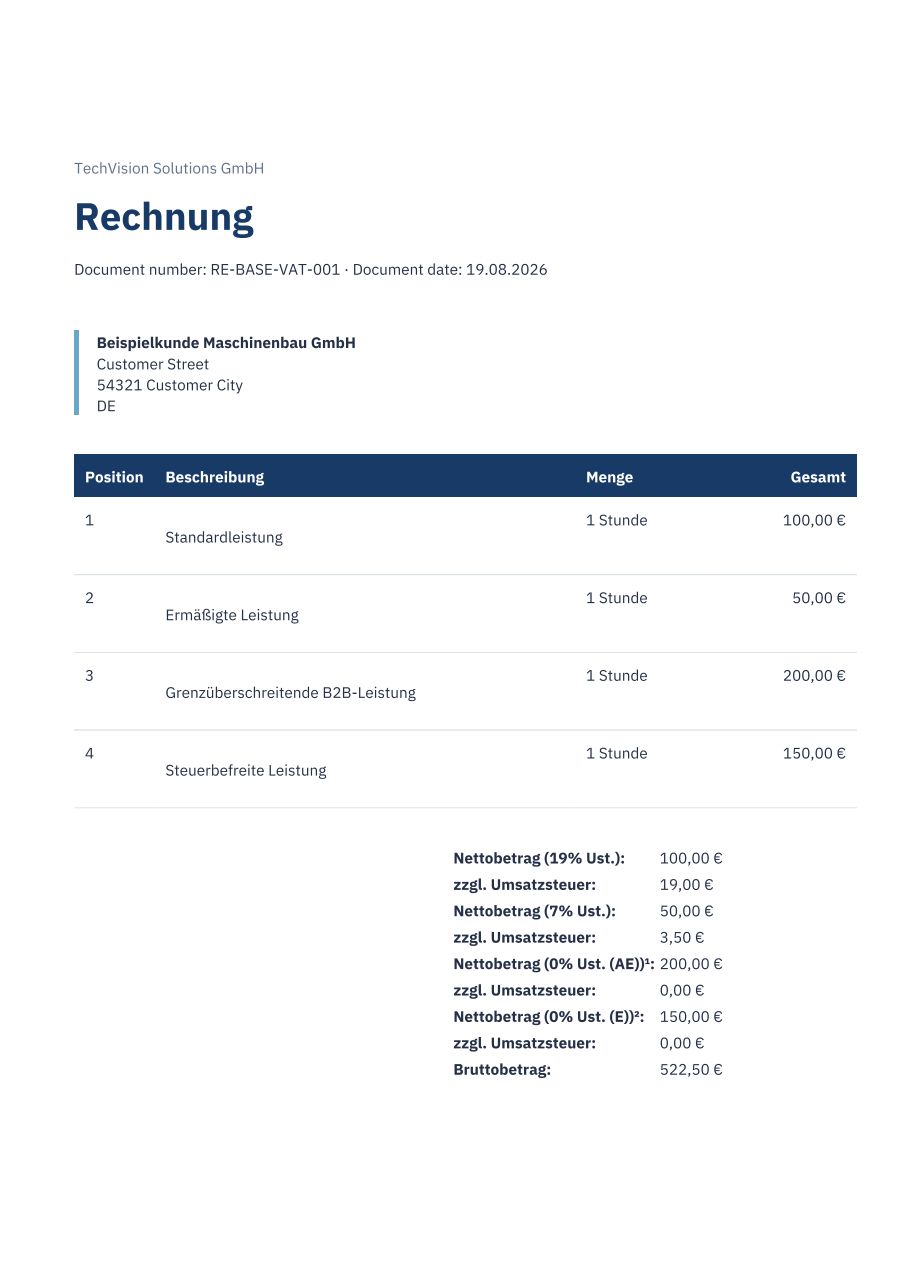
The Getting Started guide also contains a deliberately small example. It is useful for understanding the minimum contract before returning to the fuller starter design:
Build the ZIP correctly
Create the ZIP from inside the package directory. manifest.json must be at the archive root; do not ZIP the containing directory.
your-template.zip
├── manifest.json
├── document.peb
├── styles.css
├── images/
└── fonts/
ZIP entry order, timestamps, compression, and permissions do not define the installed revision. Invoicer validates the logical package contents and stores an immutable, content-addressed revision. Published documents continue to refer to the exact revision with which they were created.
Review before installation
Open the appropriate layout-template editor in Invoicer and choose the custom-package import. The review step validates the ZIP and renders the applicable preview scenarios before installation. Missing variables, missing resources, unsupported markup, and unsafe source constructs are reported explicitly.
Do not stop after one attractive invoice. Before adopting the package, review every document family you intend to support, both relevant locales, long addresses and descriptions, optional values, and multi-page output. A successful render proves contract compatibility; it is not a legal or visual approval of the resulting customer document.
Keep the v1 material nearby
The full walkthrough and generated field reference are available as versioned PDFs:
- Template API v1 Getting Started PDF
- Template API v1 reference PDF
- Sales-document starter ZIP
- Timesheet starter ZIP
Custom packages are included in the upcoming AGYNAMIX® Invoicer 1.7.2 release for both Standalone and Client/Host operation. Template API v1 remains experimental in that release, so retest your package before adopting each new application version.
If you want to explore AGYNAMIX® Invoicer in practice, you can find the application here: AGYNAMIX® Invoicer.